 Shopify App Store
TagPrice
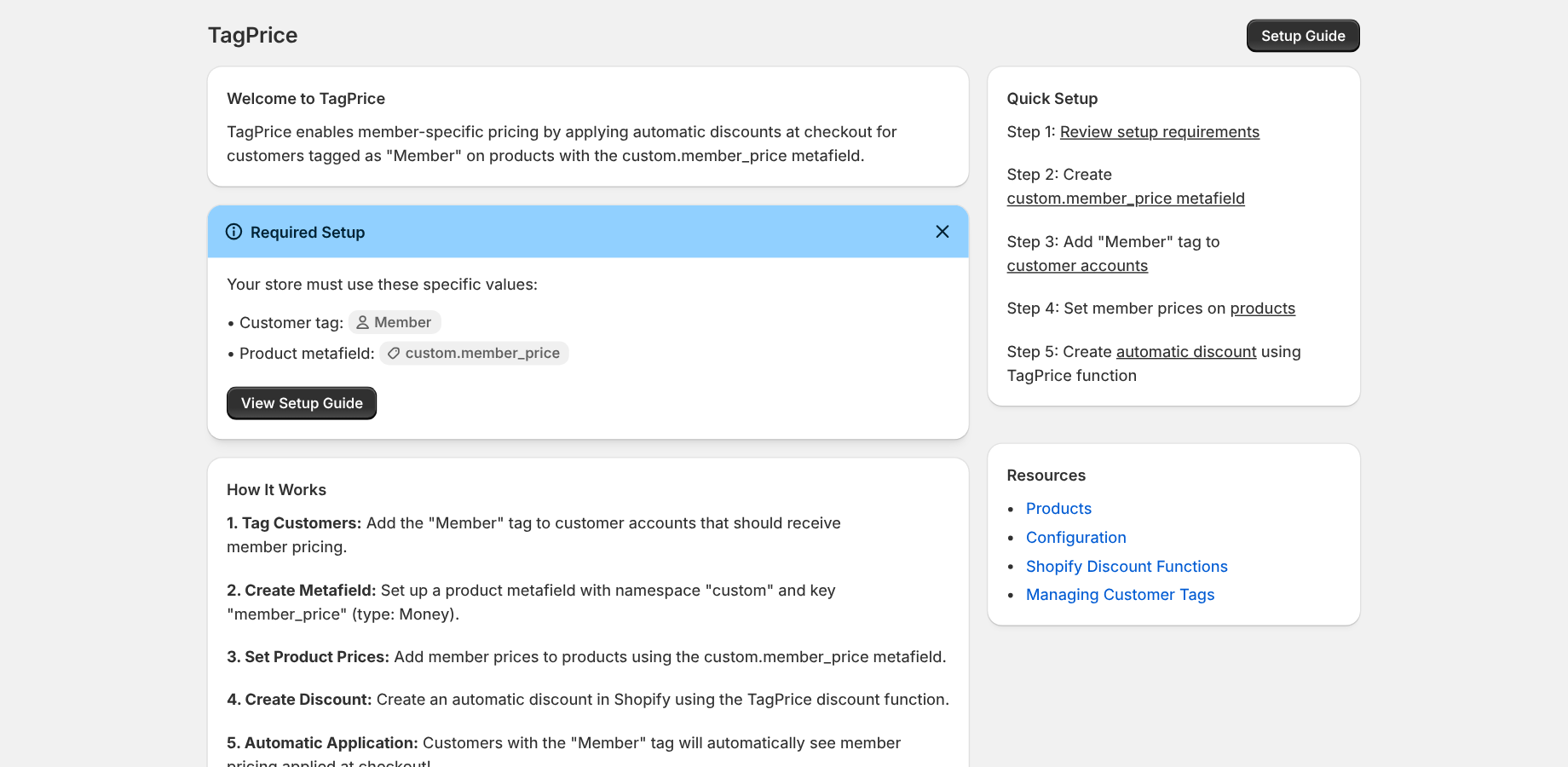
Member pricing for Shopify. Customers tagged Member pay the member price you set on each product.
What it does
Gives your members their own price. You set a member price on a
product, and a customer tagged Member who is signed in pays that
price at checkout instead of the regular one. Everyone else pays the
regular price.
The member price is applied as an automatic discount: the customer sees the regular price, then the difference taken off as "Member pricing applied".
Setting it up
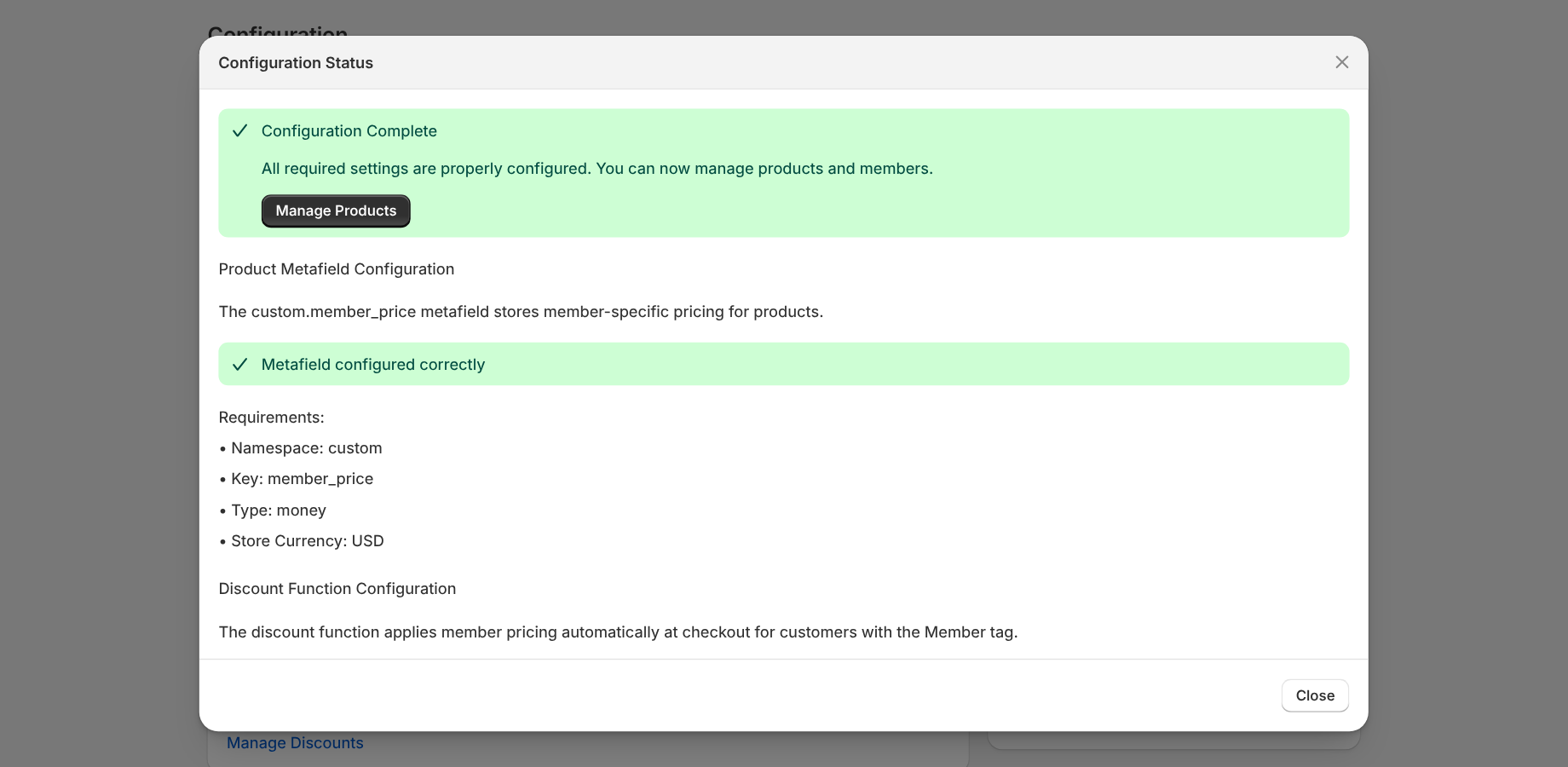
- Open TagPrice in your Shopify admin, go to Configuration, and choose Verify Configuration.
- Choose Create Metafield Automatically. This adds the product
field
custom.member_price, of type Money, that holds a product's member price. - In your Shopify admin go to Discounts, choose Create discount, and choose the TagPrice discount. Make it an automatic discount, give it a title with the word "Member" in it, such as "Member pricing", and activate it.
- Add the tag
Memberto each customer who should get member prices, on the customer's page in your Shopify admin. - Set member prices, as below.
Verify Configuration shows whether the field and an active
automatic discount are in place, and what is missing if they are not. The tag
and the field's name are fixed: TagPrice reads only Member and
custom.member_price.
Setting member prices
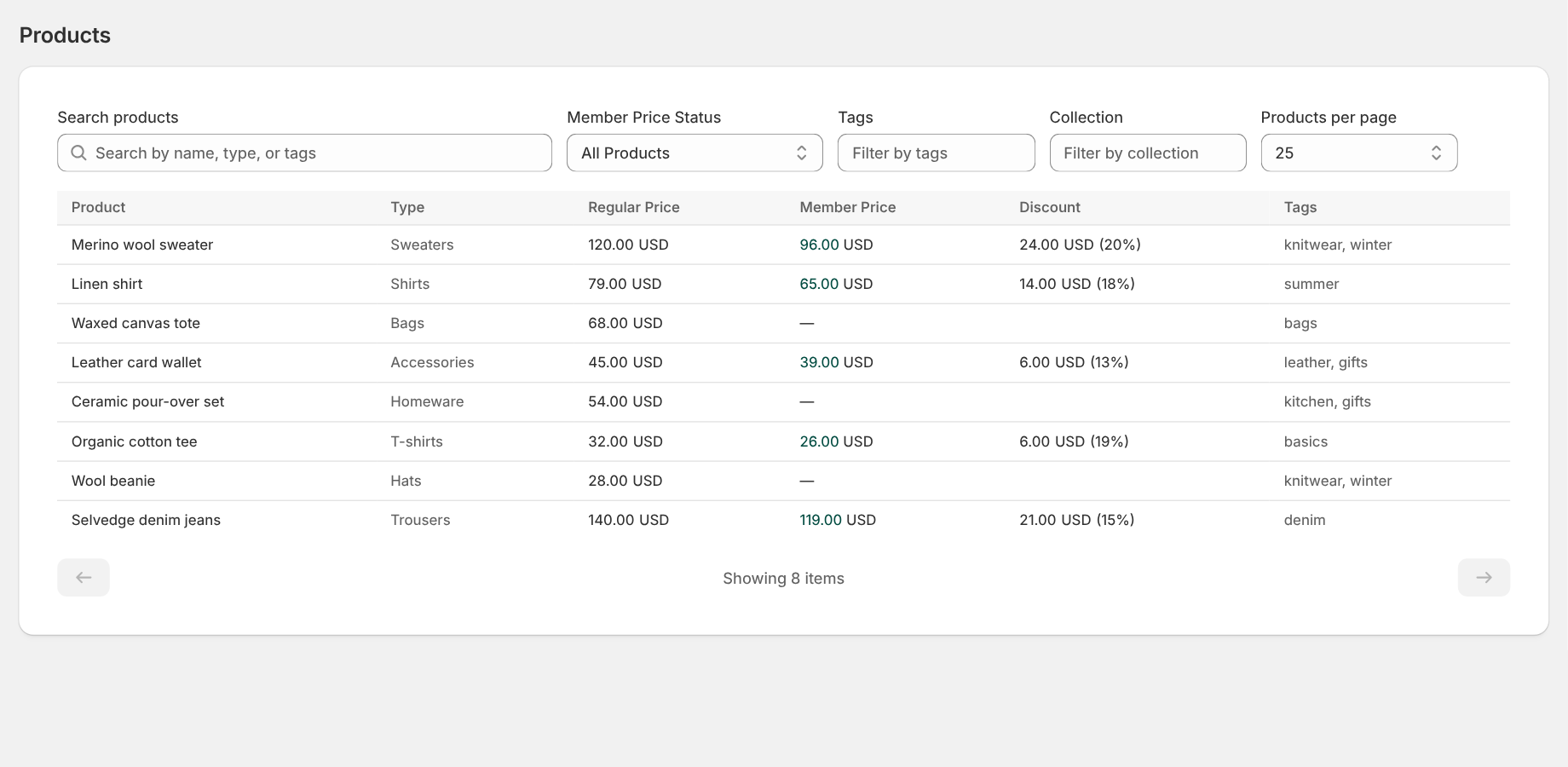
In TagPrice, Products lists your products with their regular price, their member price and the difference. Search by name, type or tag, filter by tag or collection, or show only the products with or without a member price. Type a member price on a product to set it; clear it, or set it to 0, to remove it.
You can also set the price on the product's own page in your Shopify admin, under its metafields, or with any tool that edits metafields.
How the price is worked out
| Regular price | Member price | A member pays |
|---|---|---|
| 100 | 80 | 80 |
| 100 | 100 | 100 |
| 100 | 120 | 100 |
| 100 | none | 100 |
A member price at or above the regular price takes nothing off. The member price is set per product and holds for each of its variants; a variant whose price is already at or below it keeps its own price.
A customer paying in another currency gets the member price at Shopify's rate for that currency.
After the order
TagPrice adds a block for the thank-you and order status pages. Add it in the checkout editor. A customer who got member prices on the order is told how much they saved. Anyone else is invited to become a member. The block finds the saving by the discount's title, which is why the title should contain "Member".
Limits
- A customer must be signed in for the member price to apply. A guest checkout pays the regular price.
- The member price is the same for every variant of a product.
- Whether the member price combines with your other discounts is set on the discount in Shopify, as for any discount.
Your data
Member prices are stored on your products, and who is a member is stored as a tag on the customer, both in your own Shopify admin. The app keeps only what Shopify needs to sign it in to your shop. See the privacy policy.
Help
Write to support@sigfrid.systems. Say which product
it is, its regular and member price, and whether the customer was
signed in and tagged Member.
Questions
What does TagPrice cost?
Nothing. TagPrice is free, and its present features stay free. If a paid plan is ever added, it will be for something new, and what you have now stays in the free plan.
Does any of our store data leave Shopify?
Your products, prices and customers stay in Shopify. Member prices are stored on your products, member status is a tag on your customers, and the discount is worked out at checkout by the app's Shopify Function, which runs on Shopify. The app's admin pages are served by a server of ours, which keeps only the session Shopify issues so that the pages can work in your admin. That session is deleted when you uninstall the app.
What permissions does it ask for, and why?
- To read and write products, so that the Products page can show each product's member price and set it.
- To read and write discounts, so that the Configuration page can check that a member price discount is active.
- To read and write metaobjects and metaobject definitions. The present version of the app does not use this access.
What do I need to set up?
TagPrice works with fixed names, which cannot be changed:
- A product metafield definition with namespace
custom, keymember_priceand type Money. Create Metafield Automatically on the Configuration page makes it for you. - The tag
Memberon every customer who should get member prices. - A member price on each product, set on the app's Products page or in the product's metafields.
- An automatic discount in Discounts, made with the TagPrice discount function, and active.
Verify Configuration on the Configuration page checks the metafield and looks for an active discount.
A member does not get the member price. What do I check?
- That the customer is logged in at checkout. A guest checkout gets the regular price.
- That the customer has the tag
Member. - That the product has a member price in
custom.member_price, and that the metafield is of type Money. - That the member price is lower than the product's price. A member price that is the same or higher is not applied.
- That the TagPrice automatic discount is active for today's date.
Can I set a different member price for each variant?
No. The member price is set on the product, and applies to every variant of it. A variant whose price is at or below the member price gets no discount.
How do I remove a member price from a product?
On the Products page, clear the product's member price or set it to 0. The product then sells at its regular price to members too.
What does a member paying in another currency get?
The member price is set in your shop's currency. A customer paying in another currency gets it converted at Shopify's rate for that currency.
Can customers see what they saved?
Yes, if you add TagPrice's block to the thank-you page or the order status page in Shopify's checkout editor. A member sees what they saved on the order. Anyone else is invited to become a member.
The block finds the member discount by its title, which must contain "member" or "pricing", such as "Member pricing". If members are told to become members after a discounted order, rename the automatic discount so that its title holds one of those words.
What happens if we uninstall the app?
Member prices stop being applied at checkout, because the app's Function is what applies them. Your products' member prices and your customers' tags are your shop's own data and stay where they are.
How do we get help?
Write to support from https://mart.sigfrid.systems/support/. Say which product and which customer you tried, what the member price and the regular price are, and what checkout showed. Leave out customer details beyond what identifies the case; we will ask if we need more.
Still stuck? Search every app's help in the help centre, or write to us.
More from Sigfrid Mart
-

Capped Discounts
Percentage discounts with a maximum amount off: 10% off, never more than you set.
-

Ship Together
Stop split orders: ship an order from one location, and chosen products only from where you say.