 Atlassian Marketplace
OpenAPI Viewer for Confluence
OpenAPI and Swagger files as API documentation on a Confluence page, with nothing sent out.
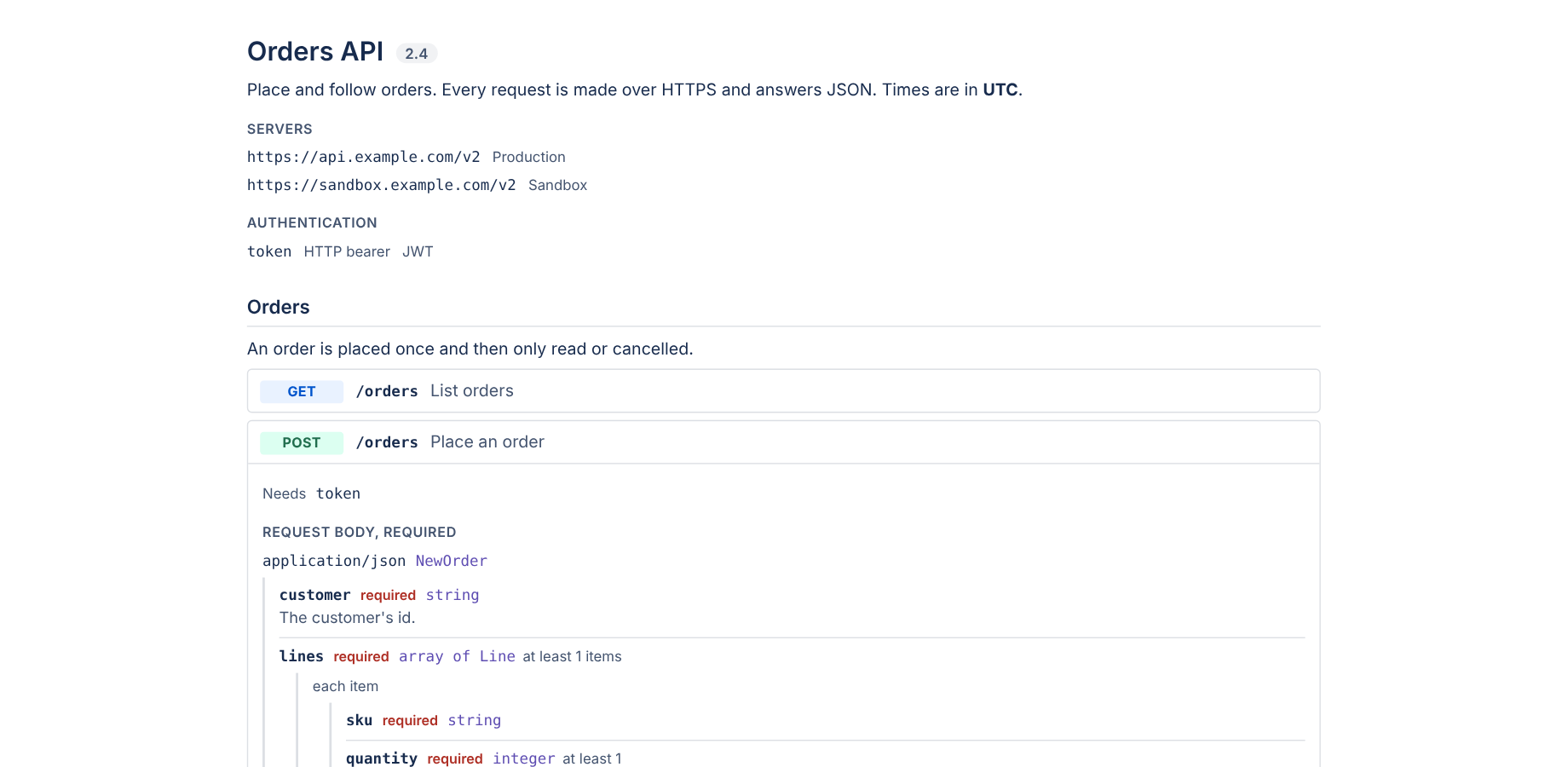
What it does
A macro that shows an API description as documentation: its operations by tag, each opened for its parameters, request body and responses, and its schemas. OpenAPI 3.0 and 3.1 and Swagger 2.0, as YAML or JSON.
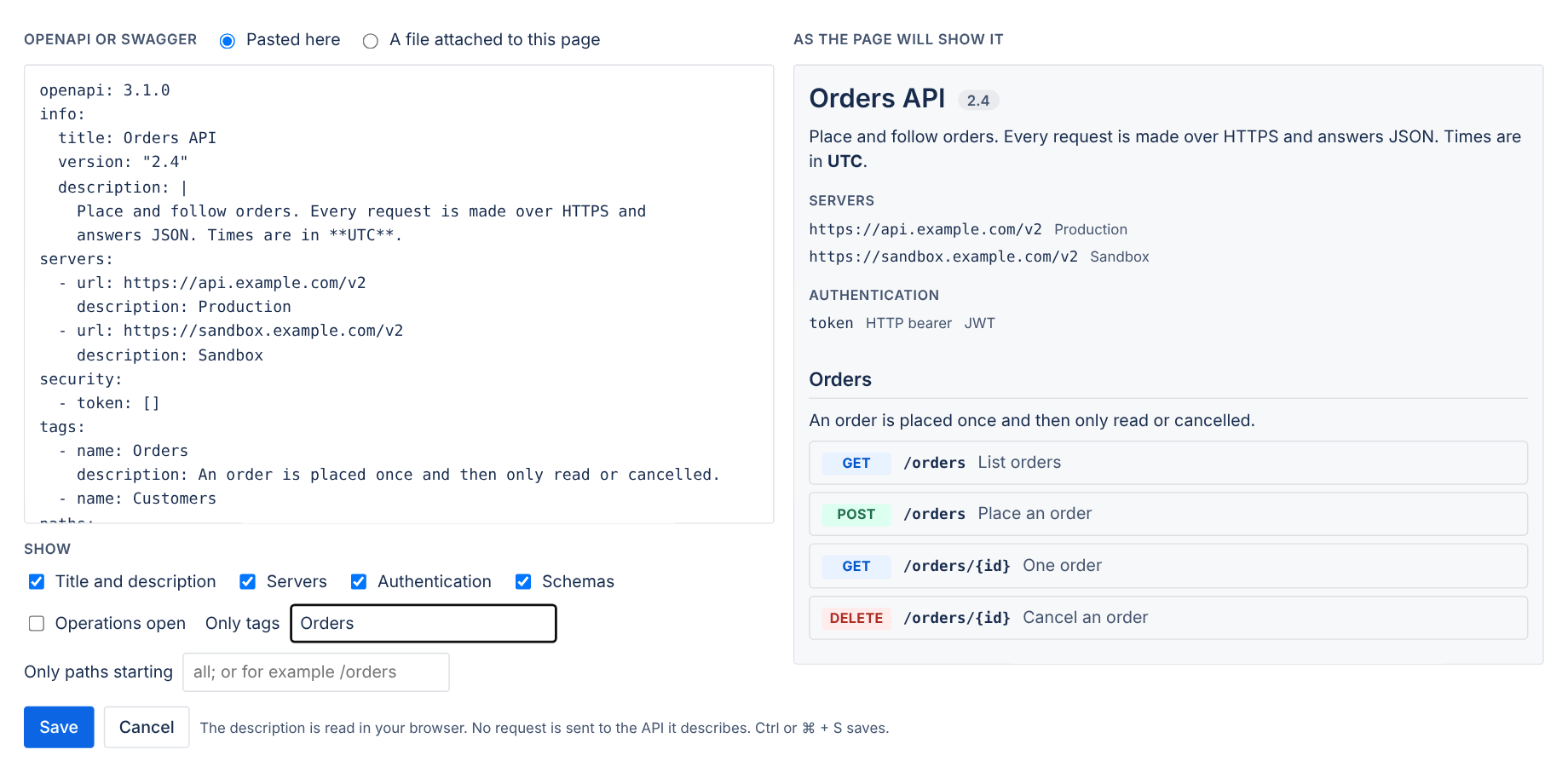
Adding a description
- Edit a page and type
/openapi, then choose OpenAPI. - Either paste the description on the left, or choose A file
attached to this page and pick the file. Attach the file to the
page first;
.yaml,.ymland.jsonfiles are listed. - The right side shows what the page will show.
- Choose Save, or press Ctrl or ⌘ + S.
A description that cannot be read is not saved; the reason is shown under the preview.
Choosing what is shown
Under Show in the editor:
| Choice | What it does |
|---|---|
| Title and description | The description's title, version and introduction |
| Servers | The addresses the API is served at |
| Authentication | How a caller proves who they are |
| Schemas | The named schemas, after the operations |
| Operations open | Every operation opened when the page is shown |
| Only tags | Names of tags, separated by commas; other tags are left out |
| Only paths starting | For example /orders; other paths are left out |
One description can be used on several pages, each showing its own part: attach the file to each page, or paste it, and choose different tags.
Pasted or attached
- Pasted: the text is stored in the page. Confluence's search finds the page by a path or a field name in it.
- Attached: the page reads the file each time it is opened. Attach a new version of the file and the page shows the new version, with no need to edit the macro. Use this for a large description.
Reading a page
Select an operation to open it. Inside:
- Parameters, each with where it goes (path, query, header), its kind, and whether it is required;
- Request body and Responses, by media type, with the schema as a tree. Select What it holds to open what lies deeper, and Example for an example where the description gives one.
Exporting a page
A page exported to PDF or Word holds the description's title and, for each tag, a table of its operations with what each does. A description kept as an attachment is named in the export, not expanded.
Limits
- There is no "try it out". The app never sends a request to the API.
- A description is not read from a URL or a repository.
- A reference to another file (
$ref: other.yaml#/...) is shown by name and not followed. - Callbacks, webhooks and links are not shown.
Price
Free for sites of up to 10 users. Above that it is priced per user and billed by Atlassian with your other apps, after a 30 day trial. If a licence lapses, nothing you made is hidden: what is on your pages stays shown, and only making and changing are turned off.
Your data
The description is read in your browser, inside Confluence. The app has no server of ours behind it, stores nothing, and sends nothing anywhere; when a page is exported, Atlassian runs the app once per macro to write its table. See the privacy policy.
Help
Write to support@sigfrid.systems. If part of a description is shown wrongly, send that part.
Questions
What does OpenAPI Viewer cost?
It is free for sites of up to 10 users. From 11 to 100 users it is 0.60 USD a user a month, less at each larger tier, and Atlassian bills it with your other apps. Atlassian gives every paid app a 30-day trial.
Does our API description leave Confluence?
No. The description is read in your browser, inside Confluence. The app has no server of ours behind it, stores nothing, and fetches nothing from anywhere else. When a page is exported, Atlassian runs the app once per macro to write a table of the operations, and that step calls nothing either.
Does it send requests to our API?
No. There is no "try it out", and the app never sends a request to the API a description describes. The server addresses in a description are shown as text.
What permissions does it ask for, and why?
One scope, read:attachment:confluence, to read a description kept as
a .yaml, .yml or .json file attached to the page. It asks for no
other permission on your content.
What happens if our license lapses?
Every description already on a page is still shown and still exported. Only saving the macro is turned off, and the editor says that the license has lapsed.
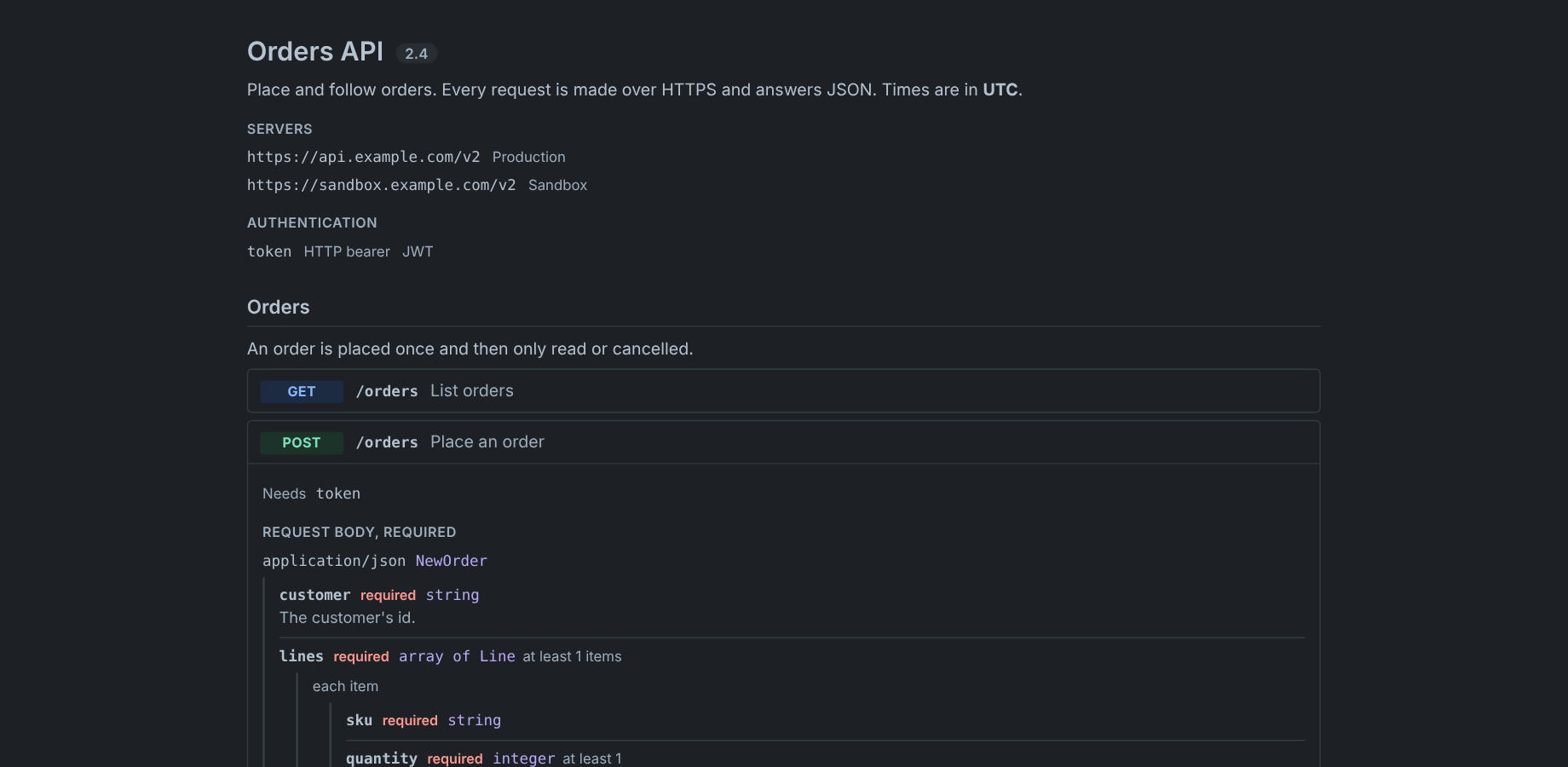
Does it work in dark mode?
Yes. The documentation is drawn in Confluence's own colors and follows the reader's theme, light or dark.
Is there a version for Confluence Data Center or Server?
No. The app is built on Atlassian Forge and runs on Confluence Cloud only.
The page says the description could not be read. What do I check?
The reason follows the message. The common ones:
This is neither JSON nor YAML: the text has a syntax error, and what follows says what the reader stumbled on.This has neither "openapi" nor "swagger" at its top: the file is not an OpenAPI 3 or Swagger 2 description, or its version field is missing.
The editor does not save a description it cannot read, and shows the same reason under the preview.
The page says it has no attachment of that name. What happened?
The macro reads the attached file by its name. If the file was renamed or deleted, the page can no longer find it. Attach the file again under the same name, or edit the macro and pick the file anew under A file attached to this page.
The page shows an old version of our description. How do I update it?
If the description is attached, attach the new version of the file to the page; the page reads the file each time it is opened. If it is pasted, edit the macro and paste the new text. For a large description, attaching it is the better choice.
Why is part of our description missing?
Check the choices under Show in the editor: the title, servers,
authentication and schemas can each be hidden, and Only tags and
Only paths starting leave out everything else. Some parts are not
shown at all: a reference to another file ($ref: other.yaml#/...)
is shown by name and not followed, and callbacks, webhooks and links
are not shown.
How do we get help?
Write to support from https://mart.sigfrid.systems/support/. Say what you did and what you saw, and copy any error message word for word. If part of a description is shown wrongly, send that part.
Still stuck? Search every app's help in the help centre, or write to us.
More from Sigfrid Mart
-

Markdown Pages for Confluence
Import Markdown folders as page trees, edit pages as Markdown, and export pages to Markdown with their images.
-

Mermaid Diagrams & Export for Confluence
Mermaid diagrams drawn sharp at full width, zoomable, in dark mode, and kept as pictures in exports.
-

Plain Text Mode for Jira
Edit Jira descriptions and comments as plain Markdown. Nothing rewrites what you type.
-

PlantUML & Graphviz Diagrams for Confluence
PlantUML, C4 and Graphviz diagrams drawn in your browser, with no rendering server.
-

Portal Request Details for Jira Service Management
Show customers custom fields, the assignee, SLA time left and linked requests on the portal.
-

Space Copy for Confluence
Copy a Confluence space, or into one, with its links leading to the copies.