 Atlassian Marketplace
Space Copy for Confluence
Copy a Confluence space, or into one, with its links leading to the copies.
What it does
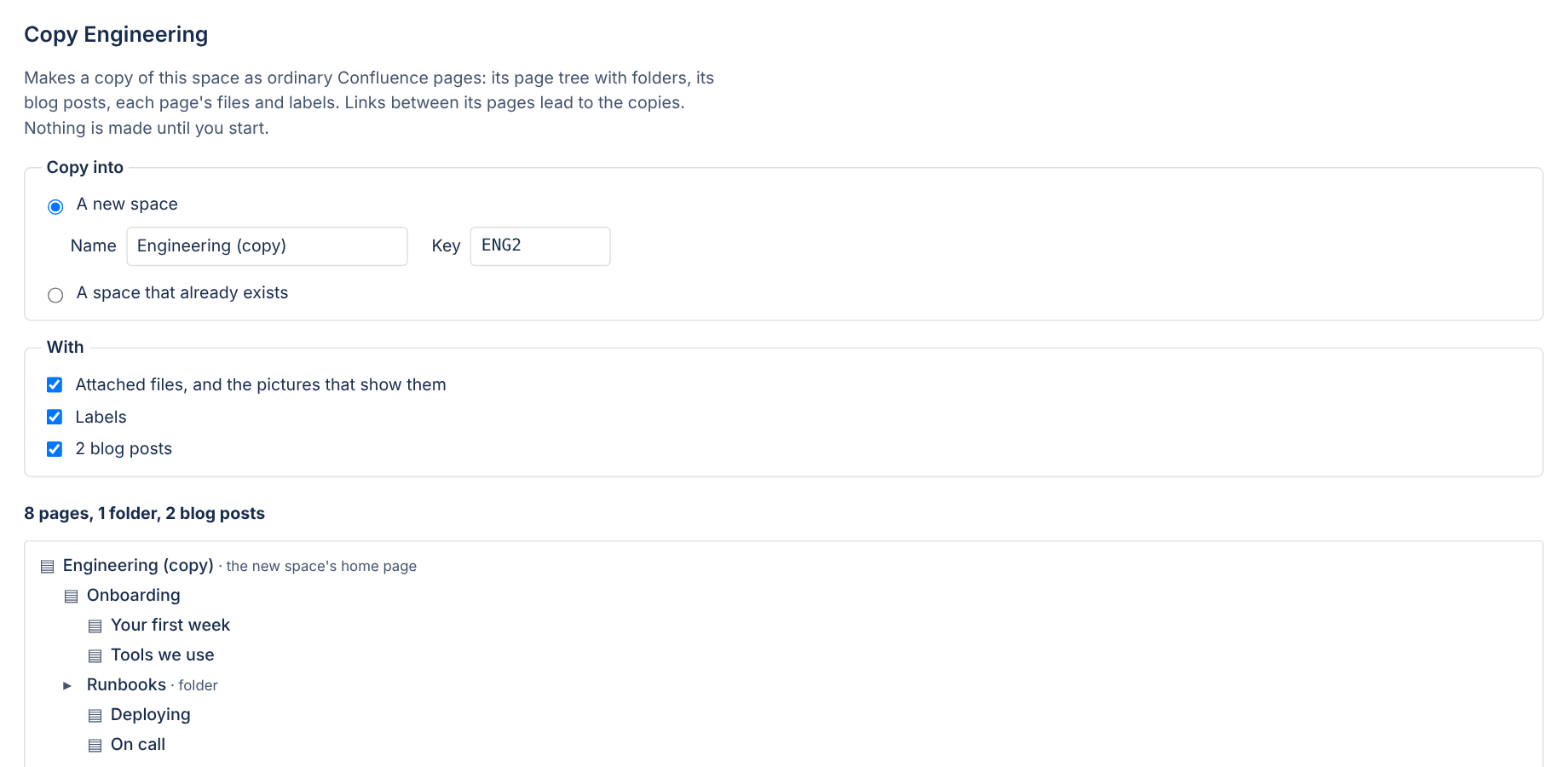
Copies a space as ordinary Confluence pages: its page tree with its folders, its blog posts, and each page's attached files and labels. A link from one copied page to another leads to the copy, not back to the space it came from, and so does a picture, a Smart Link and a macro that names the space.
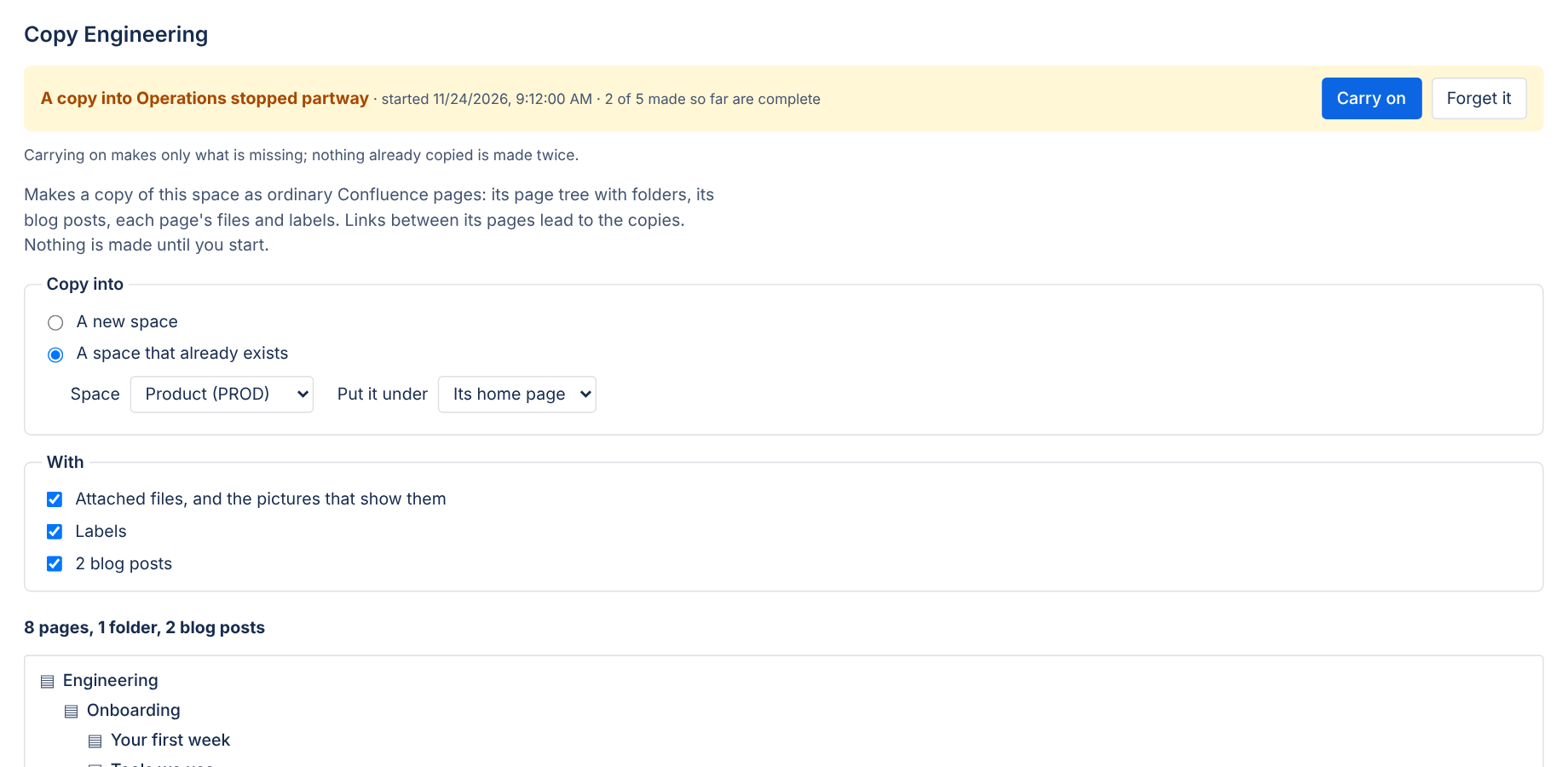
A copy that stops partway, because the page was closed or the connection was lost, carries on where it stopped. Nothing already copied is made twice.
Making a copy
- Open the space to copy. In its sidebar, under Apps, choose Copy this space.
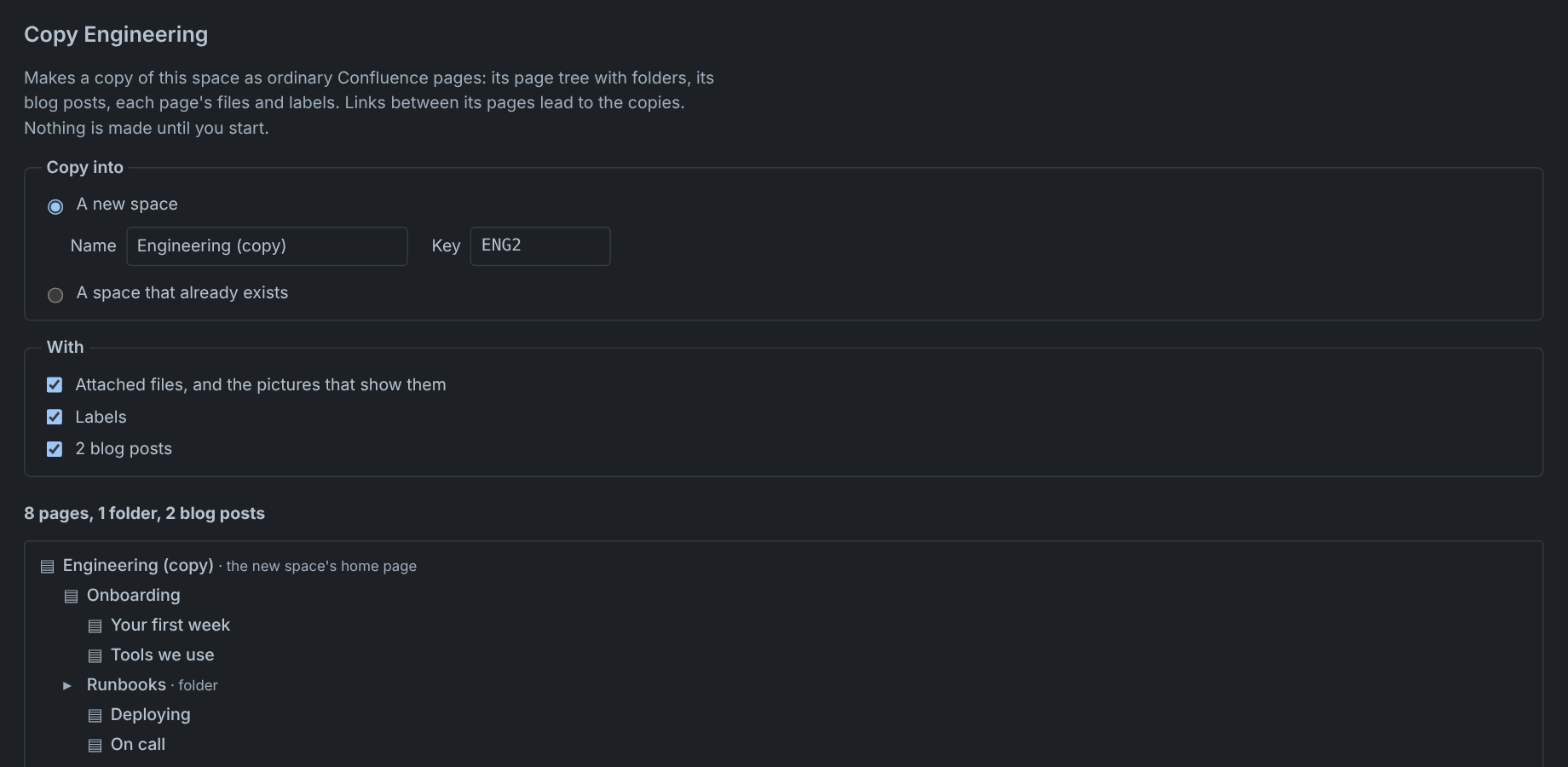
- Under Copy into, choose A new space and give it a name and a key, or choose A space that already exists and, if you like, the page to put the copy under.
- Under With, choose whether attached files, labels and blog posts come too.
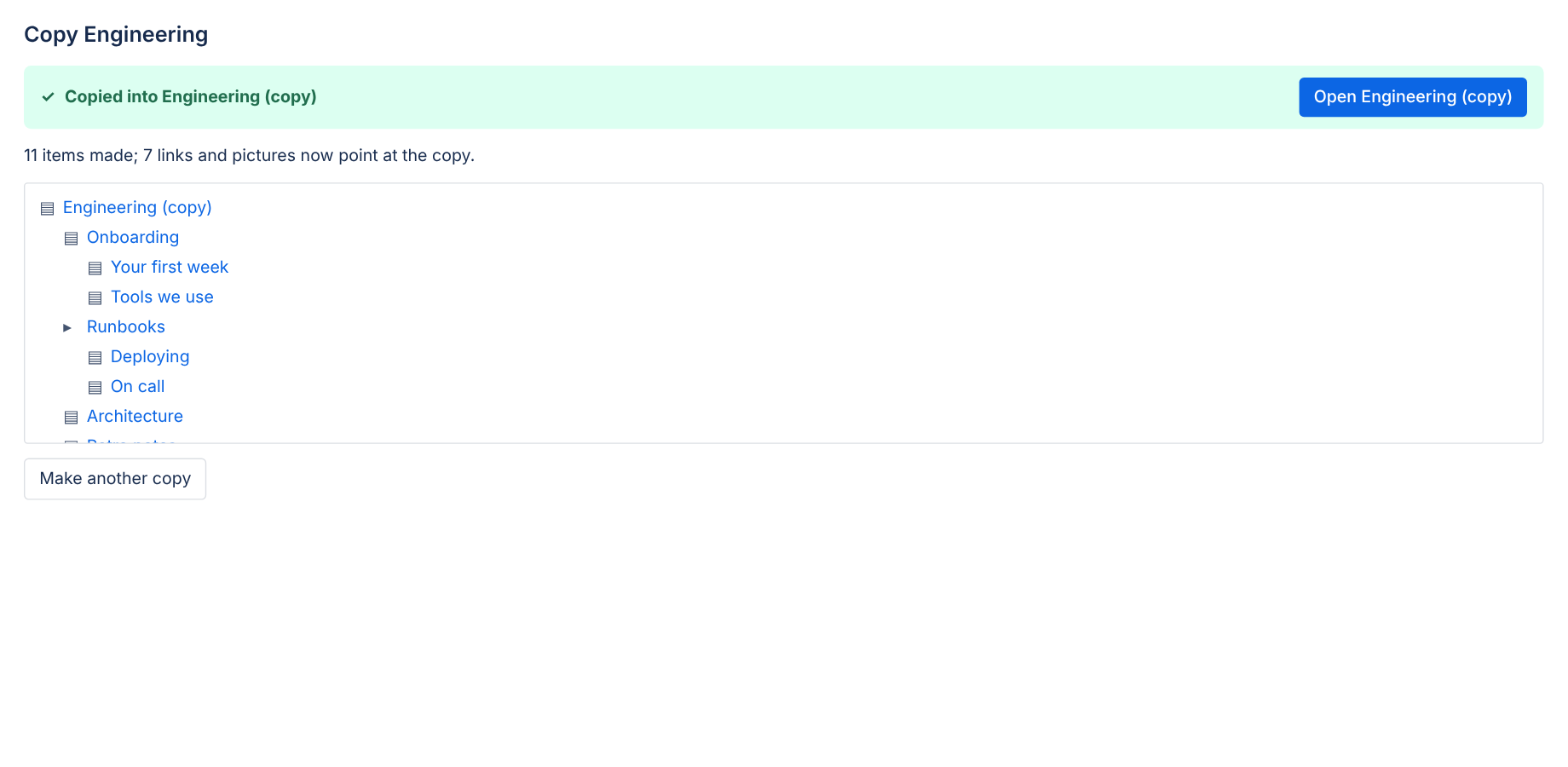
- The list shows every page, folder and blog post that will be made, in the order of the tree. Choose Copy.
- Keep the page open while the copy runs. When it is done, choose Open to see the copy.
You can copy only what you can read, and only into a space where you can create pages. Every page of the copy is made by you, at the time of the copy.
Into a space that already has content
The copy goes under the page you choose, or under the space's home page. Where the space already has a page of the same title, the copy is named "(copy)" after the title; the list says which pages are renamed before anything is made. The copied space's home page becomes an ordinary page there.
When a copy stops
Open Copy this space again in the space you were copying. The copy that stopped is shown at the top, with how far it came. Choose Carry on to make what is missing, or Forget it to leave the copy as it is.
A page Confluence refused is listed by title with Confluence's reason. Carrying on tries it again.
What is not copied
- Page history: each copy starts at its first version, made by you.
- Comments, page restrictions and the space's permissions. Set the new space's permissions in its space settings.
- Whiteboards and databases: Confluence offers no way for an app to copy what they hold. A page beneath one is copied beneath the nearest page that is.
- More than 2,000 pages, folders and blog posts in one copy. A larger space is copied up to that many, and the screen says so first.
What is stored
While a copy runs, the app stores which items it has made and which are complete, by their ids, so that a copy that stops can carry on. It stores nothing a page says. The record is deleted when the copy is done, or when you choose Forget it.
Everything else happens in your browser, through Confluence's own API. Nothing is sent outside Atlassian.
If the licence lapses
Copies already made are ordinary pages and stay as they are. Making a new copy, and carrying on one that stopped, is turned off until the licence is renewed.
Questions
What does Space Copy cost?
It is free for sites of up to 10 users. From 11 to 100 users it is 0.60 USD a user a month, less at each larger tier, and Atlassian bills it with your other apps. Atlassian gives every paid app a 30-day trial.
Does our content leave Confluence?
No. Every page is read and made in your browser, through Confluence's own API, as you. While a copy runs, the app stores a record of how far it has come in Atlassian's storage for apps: the ids of the items it has made and filled, the target space's key and name, and the options you chose. It stores nothing a page says, and it deletes the record when the copy is done or when you choose Forget it.
What permissions does it ask for, and why?
It asks to read and write pages, folders and blog posts, to read the originals and make the copies. It also asks for:
read:space:confluenceandwrite:space:confluence, to list the spaces you can copy into and to make a new one;read:attachment:confluenceandwrite:confluence-file, to copy each page's attached files;read:label:confluenceandwrite:label:confluence, to copy labels;storage:app, for the record of a copy that has not finished.
Every call is made as you, so you copy only what you can read, into a space where you can create pages.
What happens if our license lapses, or we uninstall the app?
Copies already made are ordinary Confluence pages and stay as they are. If the license lapses, making a new copy and carrying on one that stopped are turned off until it is renewed, and the screen says so.
Is there a version for Confluence Data Center or Server?
No. Space Copy is built on Atlassian Forge and runs on Confluence Cloud only.
What does a copy leave out?
- Page history: each copy starts at its first version, made by you.
- Comments, page restrictions and the space's permissions. Set the new space's permissions in its space settings.
- Whiteboards and databases, which Confluence offers no way for an app to copy. A page beneath one is copied beneath the nearest page.
- Anything past 2,000 pages, folders and blog posts in one copy. The screen says so before you start.
Our copy stopped partway. Do we start again?
No. Open Copy this space again in the space you were copying. The copy that stopped is shown at the top, with how far it came. Choose Carry on to make only what is missing; nothing already copied is made twice. Choose Forget it to leave the copy as it is.
Keep the page open while a copy runs. Closing it, or losing the connection, stops the copy until you carry on.
Why is the copy slow, and why does it pause?
Confluence limits how fast requests may come. When it answers that the app is going too fast, the app waits as long as Confluence asks and then goes on. A large space with many attached files takes longer, since each file is downloaded and attached to its copy.
Some pages were not copied. Why?
The screen lists each page Confluence refused, by title, with Confluence's reason. One cause is a permission you lack in the space you copy into, such as creating pages or adding attachments there. Fix what the reason names, then open Copy this space and choose Carry on, which tries those pages again.
Why are some copied pages titled "(copy)"?
A space holds each title once. When you copy into a space that already has a page of the same title, the copy is named with "(copy)" after the title. The list shows every page that will be renamed before anything is made.
Why can't I start a copy into a new space?
Check the name and the key under A new space. The key takes only letters and digits, and the site must not already have a space with that key; if it does, the screen says so. Choose another key.
How do we get help?
Write to support from https://mart.sigfrid.systems/support/. Say which space you were copying and where to, how far the copy came, and quote any reason Confluence gave for a page word for word.
Still stuck? Search every app's help in the help centre, or write to us.
More from Sigfrid Mart
-

Markdown Pages for Confluence
Import Markdown folders as page trees, edit pages as Markdown, and export pages to Markdown with their images.
-

Mermaid Diagrams & Export for Confluence
Mermaid diagrams drawn sharp at full width, zoomable, in dark mode, and kept as pictures in exports.
-

OpenAPI Viewer for Confluence
OpenAPI and Swagger files as API documentation on a Confluence page, with nothing sent out.
-

Plain Text Mode for Jira
Edit Jira descriptions and comments as plain Markdown. Nothing rewrites what you type.
-

PlantUML & Graphviz Diagrams for Confluence
PlantUML, C4 and Graphviz diagrams drawn in your browser, with no rendering server.
-

Portal Request Details for Jira Service Management
Show customers custom fields, the assignee, SLA time left and linked requests on the portal.